
NHL Center Ice is most useful to a fan who already has participating cable or satellite television and wants out-of-market games in that provider's guide. ESPN+ is the app-based alternative through ESPN Select or Unlimited. Neither purchase automatically covers every local and national broadcast. Details below were checked on October 11, 2026; confirm your own package and address before paying.
NHL Center Ice and ESPN+ solve the same out-of-market problem differently
For a U.S. fan following a team outside its local television territory, both products can open a large part of the regular season. Center Ice is purchased through a participating television provider. ESPN+ content is delivered through ESPN's streaming plans and app. Choosing between them starts with where you watch, what you already pay for, and whether you prefer a television guide or an app.
Center Ice has not disappeared simply because ESPN carries out-of-market streaming. Your television provider may still sell the package as an addition to its service. That can suit someone who enjoys changing between games with a remote and wants hockey inside the same interface as the rest of the household's television. The package's specific features depend on the provider.
ESPN's official hockey page distinguishes Select, which contains ESPN+ content, from Unlimited, which has broader ESPN access. NHL Power Play is the out-of-market offering within that setup. Read the plan name at checkout rather than treating every ESPN-branded button as an identical subscription.
The useful comparison is not simply cable versus internet. A cable household might already receive an eligible ESPN streaming entitlement, and a Center Ice buyer might have some provider-app access. Conversely, a streaming-first household may not want the base television service needed for a traditional game package. Ask what extra purchase is needed to watch on your actual screen.
First establish that your desired games are out of market. Team loyalty is not a geographic classification: the club you support and the club considered local to your address can differ. If you moved cities, do the territory check again. A package designed for distant teams cannot automatically replace the local broadcaster assigned to your home.
Then list a normal hockey week. Would you watch one team, jump among several games, record a late start, or use a tablet while another household member has the television? These habits help you ask meaningful provider questions. A published game count does not tell you whether the interface and device rules suit those habits.
Our general NHL viewing guide explains the wider broadcast mix. This comparison concentrates on choosing and managing the out-of-market layer. Keep national channels, local broadcasts and any streaming exclusives on a separate line in your viewing plan. That makes it easier to see what each purchase adds, rather than expecting a single product name to settle the whole season.
For a useful first comparison, choose two ordinary weeks from the schedule and mark the games you would actually watch. Keep one list for eligible out-of-market hockey and another for local or nationally assigned broadcasts. Compare the product against that viewing list rather than against the whole league calendar.
Compare package costs without overlooking your existing bill
Compare the complete cost for your situation, not a television add-on with a stand-alone app price in isolation. Center Ice generally sits on top of an eligible television service. If you already keep that service, the hockey addition is the relevant new expense. If you would start television service only to obtain Center Ice, include the base subscription and any required equipment.
Center Ice prices depend on the television provider
On October 11, 2026, DIRECTV listed $79.98 for the regular season, billed as three payments of $26.66. Xfinity advertised $79.99 or four payments of $20, while DISH advertised $80 for the season. These are provider offers, not a universal league price. Confirm taxes, eligibility and the amount displayed for your own account.
An installment plan is not automatically a month-to-month subscription. Dividing a season charge across several bills does not mean you can stop after one payment and owe nothing further. Read the cancellation and renewal terms separately. DIRECTV's published refund deadline for its 2026-27 offer was October 7, which had already passed when this guide was checked. Do not mistake that date for a future opportunity.
Ask whether NHL Network is included and for how long. DIRECTV says its Center Ice subscription includes the channel during the NHL season, with different off-season package requirements. That benefit should be compared with your existing entitlement, not counted twice. Other provider combinations can differ, so request the exact contents of the offer you are purchasing.
ESPN Select and Unlimited are different choices
ESPN's plans-and-prices page, updated October 5, lists Select at $13.99 monthly or $139.99 annually and Unlimited at $31.99 monthly or $319.99 annually. Select contains ESPN+ content; Unlimited adds wider ESPN network access. The extra cost therefore buys more than a different name for the same hockey feed.
Before paying directly, investigate whether an eligible television package already includes ESPN access that needs activation. Check the provider's current instructions and link the correct account. The absence of an activated app session is not proof that you need another subscription. Keep any existing bundle in the calculation so you do not duplicate a benefit.
For a seasonal comparison, choose the same period on both sides. Multiply the monthly price by the number of months you actually expect to pay, then compare that total with a season or annual commitment. Add any separate broadcasts you still want. An annual plan may have a lower equivalent monthly rate, but it also commits more money upfront; a monthly plan can suit a shorter viewing routine.
Keep a second line for the service you would continue paying for anyway. If you already use the television package for news and other sports, allocating its entire bill to hockey exaggerates the added cost. If hockey is the only reason you would start that package, leaving the base bill out understates it.
Which NHL games can still be missing?
Both choices need to be understood as part of a broadcast plan. A large out-of-market schedule is not a promise that every matchup, playoff round and local feed will open in the same product. Before deciding a subscription has failed, identify the game and the broadcaster assigned to it. A missing entitlement and a correctly applied rights restriction require different solutions.
Local markets and nationally selected games
Use the NHL broadcast-area lookup to check local teams for your ZIP code. A team's home or road status does not by itself make it out of market. A local club playing across the country can still be local to the viewer's address. Likewise, following a distant team does not change the territory assigned to your home.
ESPN's blackout policy explains that geographic location can determine availability. If a local game is restricted, check the authorized local broadcaster. Paying for a second out-of-market product is not a reliable way to repair a local-rights gap. First establish which service owns the broadcast you need.
A nationally selected game can require the named national outlet instead of the regular regional feed. ESPN Select and Unlimited also differ in their national network access. The NHL specifically says regional games picked up by NHL Network outside local markets are unavailable on ESPN+. Check that exception when a normally available team disappears from the app.
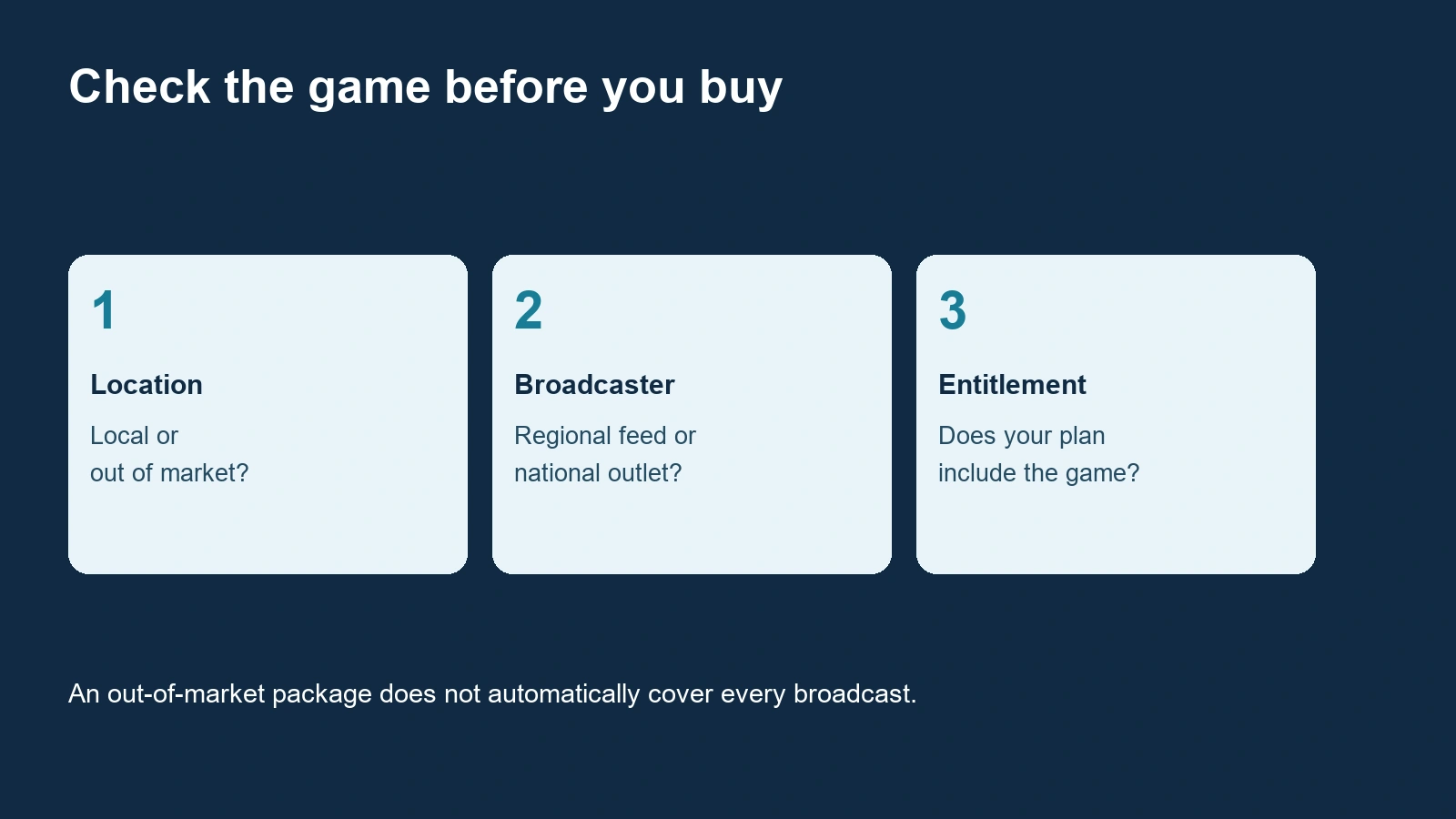
Start from today's NHL matchups, then inspect the exact date and television listing. Do not diagnose from a team name alone. Different games involving the same club can travel through different channels, and a studio show discussing the matchup does not establish that the complete game is available there.
Keep playoffs separate from the regular-season decision. A season game package's billing period and its live inventory are different facts. Do not infer playoff access because the subscription remains visible on your account, or because the app also contains other postseason programming. Check the playoff broadcaster and your plan when that part of the season arrives.
If you think a restriction is wrong, record your location, matchup, start time and error wording, then contact the service through its official help route. Ask whether the problem is geographic availability or account access. That is a more useful first step than changing several apps and account settings at once.
If your favorite team appears as local in the lookup, flag that before comparing package prices. A cheaper out-of-market option does not become better value when it cannot carry the games that motivated the purchase. Resolve the local broadcast route first, then decide whether additional distant-team coverage is worth buying.
Watch on the devices you already own
Center Ice device access is provider-specific. DIRECTV's support page says its Center Ice product is for satellite customers, with qualifying programming and equipment. That is different from assuming every DIRECTV streaming account can buy the same package. Confirm the product attached to your account, not only the provider's name.
Xfinity's Center Ice instructions say Xfinity Stream access works while connected to the in-home Xfinity Internet network; out-of-home streaming is not supported. If watching at a friend's house or while traveling is central to your plan, that limit matters more than whether the app can be installed on your phone.
DISH provides a different example: its official package page describes mobile access through DISH Anywhere. Do not turn that provider-specific feature into a claim about every Center Ice subscription. Ask the provider how your receiver, account and app work together, including any home-network or travel requirements.
For ESPN, inspect compatibility for the device you actually own and sign in with the account holding the plan. A smart television, a streaming player and a game console can have different app versions or requirements. Test before the first game that matters to you. A successful subscription purchase on a laptop does not guarantee a comfortable viewing setup on an older television.
Make a two-screen test: your normal television and the secondary screen you expect to use. Confirm video, sound, navigation and the ability to find the correct game. If another household member watches at the same time, check the service's stream and household rules rather than discovering the limit during a busy hockey night. Plan features and location rights are separate considerations.
Picture quality also needs realistic expectations. Check the available feed and equipment requirements before assuming every game will be in the same resolution. A higher-resolution television cannot create a higher-resolution broadcast. Try a sample on your usual connection and adjust the setup if motion or sound is uncomfortable; this is more useful than choosing from a marketing image of a perfect screen.
If you mostly watch later, review recording and archive options separately. A live game channel, a provider recording and an app replay are different routes with different availability. Our full-game replay guide explains that task. Choose the product around the way you will watch most often, then verify the exceptions you care about.
Do the location test on the connection you expect to use. A phone on home Wi-Fi and the same phone on mobile data can represent different viewing circumstances. When the provider limits a product to the home network, app installation and a working login do not remove that limit.
Choose a package for your hockey routine
There is no useful universal winner without knowing your existing service, local territory and viewing habits. Compare the added expense and the games you expect to use. Start with this week's NHL schedule and mark several broadcasts you would actually watch. That small sample makes a subscription decision more concrete than a headline game count.
A television-first household
Center Ice can make sense if you already keep eligible television service, mainly watch at home and enjoy the provider's game guide. Request the add-on price and verify the required equipment. Check whether the household already has the national channels you want and whether NHL Network is included in the particular offer. Write those answers beside the bill you currently pay.
Also investigate any included ESPN entitlement before ordering a second hockey product. If the account already supplies the streaming plan you need, activate it and test an eligible game. You may prefer the television interface anyway, but then the purchase is paying for a preferred viewing experience rather than filling an unknown access gap.
A household that rarely uses the rest of a television bundle should calculate a different total. Starting base service, renting equipment and adding a season package only for distant-team hockey can be much more expensive than the add-on number suggests. Consider all those components together and ask about the commitment attached to each one.
A fan who mainly streams away from a cable box
ESPN's app-based route is a natural starting point when your usual screens are a streaming television, tablet or phone and you do not want a traditional receiver. Select may address the ESPN+ content requirement, while Unlimited adds broader ESPN networks. Choose from the actual plan contents and your existing subscriptions, not from the assumption that the higher price is always necessary.
Before paying, confirm support for your main device and the locations where you intend to watch. Then check local and national coverage separately. An app can be convenient without owning every desired game. Keep a simple note naming the service for each rights category so you know where to look when one matchup is missing.
Use the same final checklist for either purchase: exact product, eligible account, desired games, device access, total cost, billing period and renewal terms. Save the confirmation and test before an important game. If a free preview or promotional rate is available, verify its dates and conditions directly; do not build your season plan around an old offer.
Review the choice after a few weeks of real use. Are you watching the games you expected, on the screen you expected, without paying for an unnecessary duplicate entitlement? That is the practical measure of value. Keep regular-season viewing, playoff access and off-season renewal as separate decisions, and set reminders for the dates that control the charges on your own account.
A useful review is to count the games you watched through each paid product during the first month. If two subscriptions delivered the same viewing routine, investigate the duplication before the next renewal. If one supplied a preferred interface or another broadcast you value, keep that benefit visible beside its actual added cost.
Comments
Comments are reviewed before publication. Spam, abusive content and policy-violating links are not published.
Sign in with Google to leave a comment.
Loading comments...