Choose an NHL Network show around when you want to catch up: First Shift and NHL Now before the games, NHL Tonight during the action, or On the Fly afterward. They serve different viewing needs. This guide explains those differences and how to check an actual airing; it does not guess tonight's hosts. Program information was checked on October 11, 2026.
Choose an NHL Network show for your hockey night
The NHL Network hub separates studio programming from live games. Start with the viewing task rather than the channel logo. Do you want the day's discussion before puck drop, updates from several games, or an organized recap when the action has finished? The answer points you toward a show format.
A studio program is useful when you follow the league beyond one club. It can bring several stories into one viewing session, whereas a complete game broadcast stays with a particular matchup. Neither is automatically the better choice. If seeing every shift of your favorite team matters, keep that team's broadcast as your main destination and use studio coverage around it.
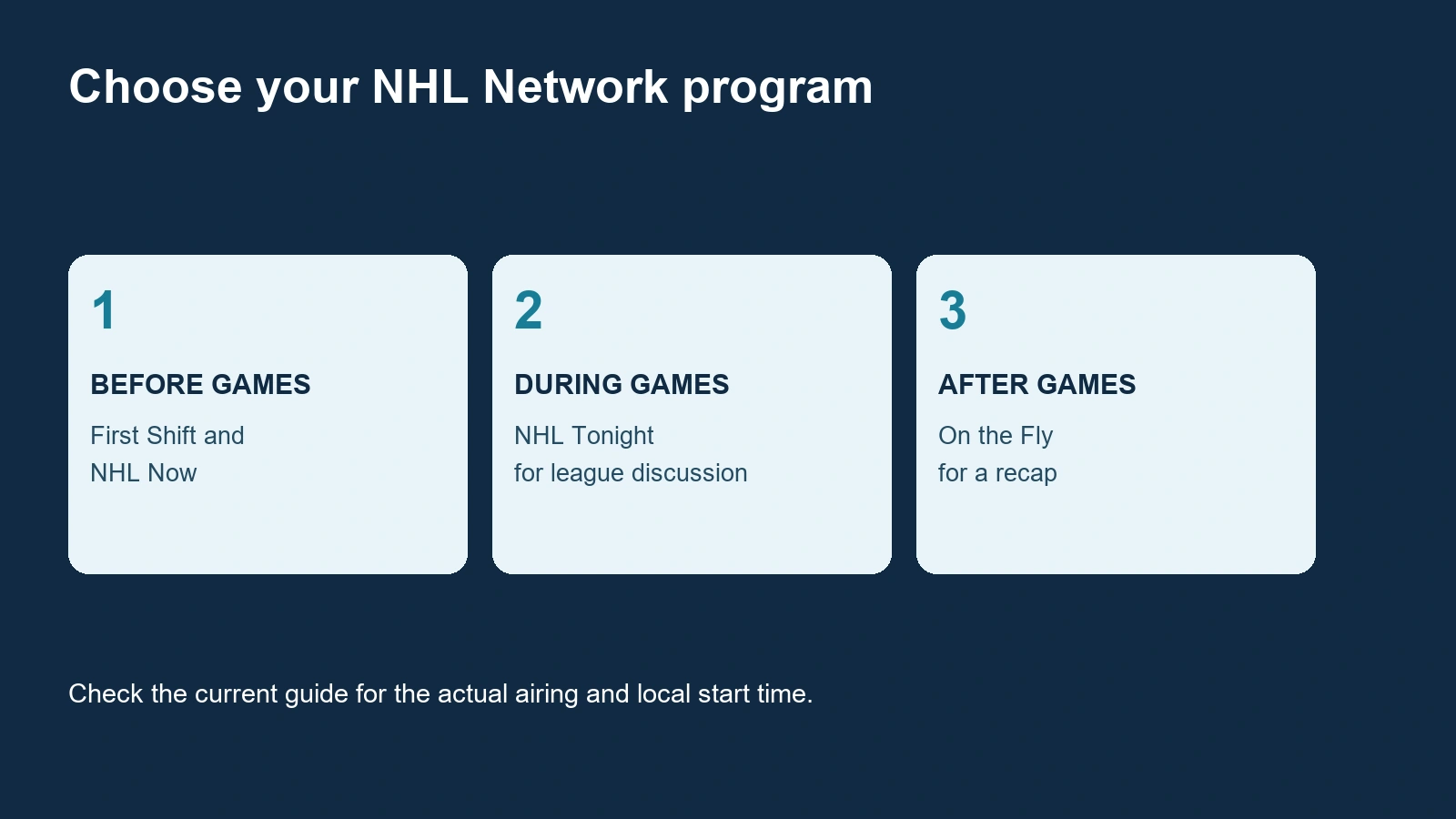
For a short visit, choose one purpose. Before a game, listen for the matchup question you want to follow. During a busy evening, look for the story behind a result or a developing situation elsewhere. Afterward, use a recap to fill the gaps in the games you did not watch. This makes a studio show part of your hockey routine rather than background television that you never quite follow.
Also distinguish a scheduled channel airing from a posted segment. A short interview on the Network's YouTube channel can answer one question without presenting the entire show. Conversely, opening a channel guide tells you what is scheduled on television, not which complete episodes have been posted publicly. Decide whether you want a particular clip or the continuous studio program before looking for access.
Our NHL viewing guide covers the wider service question. Here, the practical choice is what to watch once you have the relevant route. Think of the evening in three parts: preparation, live discussion and recap. You can use one part or all three without expecting any studio format to replace an entire game.
Before the games: First Shift and NHL Now
The current show page lists these regular starts. They are a starting point for planning, not a substitute for the date-specific television guide.
| Program | Listed start, Eastern Time |
|---|---|
| NHL Tonight: First Shift | Weekdays, 4 p.m. |
| NHL Now | Weekdays, 5 p.m. |
| NHL Tonight | 7 p.m. |
| On the Fly | Postgame |
First Shift for the day's talking points
Try First Shift when you want to enter the evening with a few hockey questions in mind. Its conversational format can be useful for listening to competing views, then deciding what evidence you want to watch for yourself. A debate about a team's performance is more interesting when you separate a factual update from an analyst's judgment about what that update means.
For example, if the discussion centers on a struggling power play, choose one thing to watch during your team's next opportunities: how it enters the zone, where the first pass goes, or whether players recover loose pucks. These are viewing prompts, not a promise that the show will cover your club on a particular day. They help you carry a studio conversation into the game instead of remembering only a strong opinion.
Do not confuse First Shift with the later NHL Tonight airing simply because both titles contain NHL Tonight. Read the full title and guide description when searching or recording. A generic search can find an afternoon episode, an evening episode or a posted clip. Picking the correct program is especially helpful if you have a regular break before the games begin.
NHL Now for player conversations and previews
The 2026-27 announcement identifies NHL Now interviews, previews and Wednesday Players Only. Treat that as a format to look for, not a permanent promise about the names appearing in the next episode.
An interview is most useful when you listen for a specific perspective. A player can explain what a sequence felt like from the ice; an analyst can then discuss why a decision worked. Neither replaces observing the play itself. If a discussion raises a question about a matchup, keep it in mind when you watch rather than treating every confident prediction as a confirmed outcome.
Use today's NHL matchups to identify which game you want to follow. Then check the actual airing and guest information if available. Afternoon studio viewing can give you context for the evening, but it should not be mistaken for an official announcement that every discussed player will dress or that a lineup prediction is final.
NHL Tonight while the action unfolds
NHL Tonight is the league-wide choice when you want discussion as games develop. Its listing in the television guide describes live look-ins, score updates and analysis. That combination is useful for following several storylines; it is different from committing to every minute of one matchup.
Use it as a companion when you want to know what else is happening around the league. If your team's game has finished but other games are still underway, a studio program can be an easier next destination than choosing another complete broadcast at random. Listen for the matchup and game state when coverage moves elsewhere so you understand whether the discussion concerns a completed result or an unfolding situation.
During a game you are watching closely, consider when switching away makes sense. A break in play or an intermission can be a natural time to check broader stories, but the studio feed does not guarantee that you will see everything your team does while you are away. Keep the main game available if uninterrupted coverage is your priority.
When an analyst discusses a replay, separate the visible sequence from the interpretation. Ask what the defender could see, where the passing option was, and whether the replay begins early enough to show the decision developing. A persuasive explanation should help you watch the next similar play more carefully. It does not need to become a permanent verdict about a player's whole season.
Studio coverage also moves through news and opinion at different speeds. A confirmed result, a reported update and a panelist's forecast are different kinds of information. Notice how each is introduced. If a roster or availability question affects a game you want to watch, consult the current official update rather than assuming an earlier studio conversation settled the matter.
Check the date-specific guide before planning around the program. A live game, a special or an extended broadcast can change what occupies the channel. If the guide says NHL Hockey, that is a different listing from NHL Tonight. The regular start shown above helps you begin looking, while the current guide tells you which program is actually scheduled for the evening you selected.
On the Fly and weekly catch-up programs
On the Fly is the postgame choice when you want to see what you missed around the league. The program listing describes a recap with highlights and interviews. Its purpose differs from following several developing games in real time: you are looking back at an evening's action.
That can suit a fan who watched one complete game and wants a broader picture before going to bed. You do not need another uninterrupted broadcast to find out what happened elsewhere. Pay attention to the sequence of highlights, the game state and any explanation afterward so the decisive moment has context rather than appearing as an isolated spectacular play.
Check the airing you selected. A late-night first run and a later repeat can share the same title, while the guide may include additional descriptions such as bonus coverage. If you want the newest recap, inspect the date and episode information rather than assuming any On the Fly entry concerns the most recent games. A program shown after midnight can also refer to the preceding evening.
A nightly recap is different from a weekly roundup
Top Shelf offers a weekly highlight roundup. A nightly recap and a weekly collection serve different interests. Choose the nightly format when you want to fill gaps from one evening; choose the weekly format when you want a selection of moments from a longer stretch.
For a weekend catch-up, begin with the period you missed. If it was one game night, avoid starting with a week-long compilation and hoping it includes every story you wanted. If you have followed the results all week but want memorable plays, the weekly collection can be the more enjoyable format. Read the guide description because a repeat may cover an earlier week.
Neither choice is a complete record of every shift. Highlights necessarily select moments, and the analysis that follows can add explanation without restoring everything omitted. If a recap leaves you wanting to judge a team's entire performance, move to the full-game replay guide instead of treating a short edit as complete evidence.
For an easy routine, decide whether your priority is your own club or the rest of the league. Watch the main game first if that matters most, then choose a recap that fills the missing part. On a night when you cannot watch at all, a recap can be your next available hockey session, with the understanding that its titles and highlights may reveal the results immediately.
Understand who is on the NHL Network panel
Hosts include Jamison Coyle and Alexa Landestoy; Bruce Boudreau is an analyst, and Elliotte Friedman is an insider. These examples come from the official talent directory checked for this guide. They are examples of different roles, rather than a promise that those four people appear together on the episode you are watching.
If your question is "Who is on the NHL panel tonight?", a directory alone does not settle it. Start with the current program, its on-screen introductions and any episode-specific announcement. A familiar presenter may be absent from one airing, a guest may join temporarily, and a photograph in a general directory does not identify a particular night's cast.
There is no need to memorize every name before enjoying a show. Notice who asks the questions, who offers an assessment and who introduces a reported development. Those cues help you follow a discussion even when you have not seen a panelist before. If a name is unfamiliar, use the official directory to look it up after the segment rather than relying on an old clip's credits.
Hosts, analysts, insiders and guests have different roles
A host generally gives the conversation structure: introducing the subject, inviting responses and moving between segments. An analyst's assessment is useful when you want an explanation of a play, lineup choice or possible adjustment. An insider's report answers a different question, such as what information has been reported about a developing story. These are ways to interpret a segment, rather than guarantees that every person speaks only within one role.
Keep the distinction between a prediction and a confirmed development. A panelist saying a team should make a change is offering an assessment. A report that a change has occurred needs clear attribution. Listening for that difference makes a busy discussion easier to follow, particularly when a segment moves quickly between evidence, opinion and speculation.
Guests can change the perspective again. When a player or coach joins a conversation, consider which experience they are discussing and whether the question concerns the present situation or a past event. A guest's appearance does not establish a permanent place on the program. Read the introduction and the context instead of inferring a regular schedule from one interview.
For fans, the practical goal is understanding the discussion. Choose a show because its format suits your evening, then use the names and roles to follow who is explaining what. Save a specific interview if it interests you, but check the date before treating an older conversation as an update about today's lineup or team situation.
Find the current airing and build your viewing routine
Begin with the official programming guide, then confirm the entry in the guide supplied with your television service. Select the correct date and read the displayed time zone. A show name tells you the format; the dated guide entry tells you which airing you can actually watch.
That distinction matters most around midnight, on weekends and when several entries carry the same title. Check whether the description indicates a repeat, a special edition or a particular episode. If you are planning around your favorite team's game, compare the program entry with the game start instead of assuming that a studio show always fits neatly before or after it.
A useful routine starts with your available time. Before a game, pick the preview format that leaves enough room to switch to the match. During a crowded evening, use a league-wide discussion if that is more appealing than committing to one broadcast. Afterward, choose a recap of the night you missed. The weekly NHL schedule helps you plan that routine around the games.
If your subscribed television service supports recordings, check the recording options for the specific program and airing. Verify whether you selected one episode or a recurring series, and check the recorded date when you return. Recording features vary by service; a show listed in a guide is not a guarantee of recording access or an unlimited archive.
For a shorter session, follow the officially linked NHL Network YouTube channel and inspect the videos available there. An individual interview or discussion clip can answer a specific question without requiring a full television session. Check the upload date and subject, and do not treat a channel's video collection as proof that every episode or the continuous television feed is available.
YouTube's playlist controls let you save available videos for later. A small collection of interviews you want to finish can be more useful than repeatedly searching for the same clip. Keep the original channel attached to each selection so it is easy to return to the source and see whether the conversation has a newer follow-up.
Finally, keep program access and game access as separate decisions. Being able to watch a discussion about your team does not confirm that the same service carries the team's next full game. Use the current guide for the studio program and the game's broadcast listing for the match. This keeps your evening organized around the hockey you actually want to see.
Comments
Comments are reviewed before publication. Spam, abusive content and policy-violating links are not published.
Sign in with Google to leave a comment.
Loading comments...